
Crimson Moon PC Requirements: Performance & Settings Guide
Official Crimson Moon PC system requirements. Minimum and recommended GPU/CPU specs, Intel Arc support, Patch 1.0.0.1 keybindings, and Steam Deck sync.
Crimson Moon needs Windows 11, DirectX 12, 50 GB storage. Minimum: Intel Core i5-8400 or Ryzen 5 2600, 16 GB RAM, GTX 1070. Recommended: i7-10700K, 32 GB RAM, RTX 3070.
Official Crimson Moon PC System Requirements
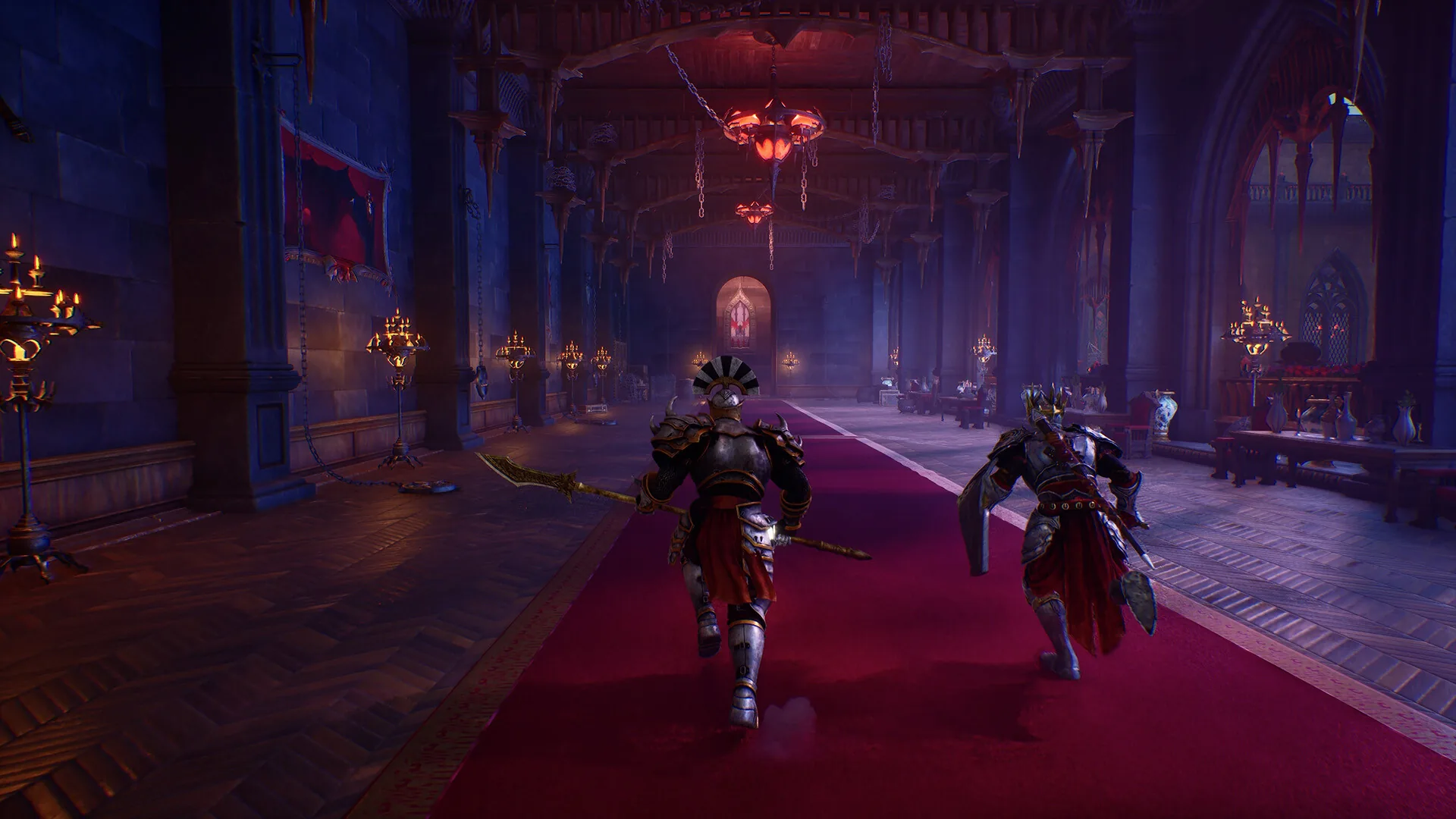
Developed and published by ProbablyMonsters (Team Metal), Crimson Moon renders the dark Gothic cathedrals, Hellgrowth-corrupted streets, and multi-enemy Ward battles of Gildenarch using DirectX 12 on Windows 11. Because combat relies on responsive shield parries, timed dodge rolls, and three-slot Weapon Art rotations, ensuring your hardware meets the official Steam specifications (AppID 4317690) is essential:
| Hardware Specification | Minimum System Requirements | Recommended System Requirements |
|---|---|---|
| Operating System | Windows 11 (64-bit) | Windows 11 (64-bit) |
| Processor (CPU) | Intel Core i5-8400 or AMD Ryzen 5 2600 | Intel Core i7-10700K or AMD Ryzen 5 5600X |
| System Memory (RAM) | 16 GB RAM | 32 GB RAM |
| Graphics Card (Nvidia) | Nvidia GeForce GTX 1070 | Nvidia GeForce RTX 3070 |
| Graphics Card (AMD) | AMD Radeon RX 5700 | AMD Radeon RX 6700 XT |
| Graphics Card (Intel) | Intel Arc A580 | Intel Arc A770 |
| DirectX Version | DirectX 12 | DirectX 12 |
| Storage Space | 50 GB available space | 50 GB available space (SSD recommended) |
Hardware Architecture Analysis: CPU, RAM & GPU Tiers
1. Why Recommended Specs Jump to 32 GB RAM
Crimson Moon is structured around seamless three-mission Ward expeditions culminating in a Dead God World Boss, alongside Sanctus Clypeus hub transitions and two-player online co-op. While 16 GB RAM satisfies the baseline minimum requirement, the recommended specification calls for 32 GB RAM to prevent memory paging when streaming high-resolution Gothic textures, Hellgrowth biomass shaders, and dense enemy packs (Undead swarms, Feral Vampires, Reborn Cultists, and airborne Imps). If your system runs 16 GB RAM, close background browsers and overlays before launching an expedition from the War Table. Once your PC clears the bar, the complete walkthrough walks you through your first hunt.
2. Three-Vendor GPU Support (Nvidia, AMD & Intel Arc)
Unlike many action RPGs that only list Nvidia and AMD hardware, ProbablyMonsters explicitly validated Intel Arc desktop GPUs across both performance tiers:
- Minimum GPU Tier: Nvidia GeForce GTX 1070, AMD Radeon RX 5700, or Intel Arc A580.
- Recommended GPU Tier: Nvidia GeForce RTX 3070, AMD Radeon RX 6700 XT, or Intel Arc A770.
- Processor Pairing: A six-core Intel Core i5-8400 or AMD Ryzen 5 2600 anchors the minimum tier, while an eight-core Intel Core i7-10700K or six-core Zen 3 AMD Ryzen 5 5600X is recommended for maintaining steady frame pacing during chaotic District Vessel encounters.
PC Keybinding & Mouse Sensitivity Guide (Patch 1.0.0.1 / Build 162350)
In Patch 1.0.0.1 (build 162350) and Hotfix 1.0.1, Team Metal deployed their Alpha implementation of PC keybinding support and mouse sensitivity controls ahead of schedule based on community feedback.
How to Enable Custom Keybindings on PC
- Open the in-game Settings Menu from Sanctus Clypeus or pause menu.
- Navigate to the Keyboard tab.
- Select the Custom Keyboard Profile by clicking the left arrow on the profile selector.
- Rebind all available combat, movement, dodge, parry, and Weapon Art actions, adjust mouse sensitivity, or revert bindings to their defaults at any time.
Current Alpha Keybinding Scope & Upcoming Features
Team Metal documented the exact capabilities of the current Alpha keybinding release versus what is still in development for future updates:
| Input Feature | Current Status (Build 162350 / Hotfix 1.0.1) | Developer Notes |
|---|---|---|
| Single-Key Action Remapping | Available Now | Rebind all available actions via Settings > Keyboard > Custom Profile. |
| Revert to Default Bindings | Available Now | One-click reset to restore standard keyboard & mouse controls. |
| Mouse Sensitivity Slider | Available Now | Fine-tune camera turn speed and target-lock tracking sensitivity. |
| Multiple Bindings per Action | Planned for Future Update | Assigning more than one key to the same action is not yet included in Alpha. |
| Double-Tap Inputs | Planned for Future Update | Assigning actions to rapidly pressing a key twice is in development. |
| Hold Inputs | Planned for Future Update | Assigning actions to holding a key down is scheduled for a future patch. |
| Controller Button Customization | Planned for Hotfix 1.0.2 | Dedicated gamepad button remapping is slated for Hotfix 1.0.2 later this month. |
Platform Availability, Language Support & Editions
Beyond Windows PC via Steam, Crimson Moon launched simultaneously on September 1, 2026 across console platforms and supports eight localized languages:
- Supported Platforms: PC (Steam), PlayStation 5, and Xbox Series X|S.
- Supported Languages: English (with full audio), French, Italian, German, Spanish - Latin America, Japanese, Portuguese - Brazil, and Simplified Chinese.
- Edition & DLC Breakdown:
- Standard Edition ($19.99 USD): Full base game including all Gildenarch Wards, six District Vessels, three Dead Gods, and two-player online co-op.
- Deluxe Edition ($29.99 USD) / Deluxe Edition Upgrade ($9.99 USD, AppID 4984080): Includes the exclusive Axe of the Gods one-handed axe (with the Empower Weapon Art).
- Crimson Moon Soundtrack ($9.99 USD, AppID 4859730): Original Gothic orchestral-metal score composed by Steve Pardo and Christopher Wilson.
Steam Deck Syncing, Stability & Troubleshooting (Hotfix 1.0.1)
If you play Crimson Moon across both a desktop PC and Steam Deck, or encountered stability hiccups at launch, verify that your client has downloaded Hotfix 1.0.1:
- Steam Deck to PC Save Syncing Fixed: Hotfix 1.0.1 resolved a bug that prevented cloud saves from syncing properly between Steam Deck and desktop PC, allowing seamless progression switching across devices.
- Rolling Backup Saves: To protect against corrupted saves or unintentional progression resets, Hotfix 1.0.1 implemented automatic rolling backup saves.
- The Flesh-Wrought Egregore Crash Fix: Resolved a crash occurring on PC and consoles during the Flesh-Wrought Egregore District Vessel encounter when dense ground eruptions (Egregore Explosion) triggered simultaneously.
- In-Game Visual Tuning for Steady Frame Pacing: If you experience frame dips during particle-heavy fights (such as Mahkteah, The Lord of Perdition or Cardinal Mathias), lower Volumetric Fog and Shadow Quality one step first; these two DirectX 12 settings carry the highest GPU compute overhead in enclosed Gothic cathedrals while barely altering visual readability.
- Numerical values and patch scalings reflect live retail release version 1.0.0 for Crimson Moon.
- Cross-verified against official developer patch notes and active Steam community databases.
Verified Strategy FAQ
4 Entries1 What are the minimum and recommended GPUs for Crimson Moon on PC? ↓
According to the official Steam store specifications (AppID 4317690), the minimum GPU tier requires an Nvidia GeForce GTX 1070, AMD Radeon RX 5700, or Intel Arc A580. The recommended tier requires an Nvidia GeForce RTX 3070, AMD Radeon RX 6700 XT, or Intel Arc A770.
2 How much RAM and storage space does Crimson Moon require? ↓
Crimson Moon requires 16 GB RAM at minimum and 32 GB RAM for recommended settings, alongside 50 GB of available storage space and DirectX 12 on 64-bit Windows 11.
3 Does Crimson Moon support custom PC keybindings and mouse sensitivity? ↓
Yes. Patch 1.0.0.1 (build 162350) introduced Alpha keybinding support and mouse sensitivity controls under Settings > Keyboard > Custom Keyboard Profile, allowing PC players to rebind actions and revert to defaults.
4 Does Crimson Moon support Steam Deck save syncing with PC? ↓
Yes. Hotfix 1.0.1 specifically resolved an issue affecting save syncing between Steam Deck and PC, and added rolling backup saves to protect player progression across devices.
Source note: Tactical data cross-checked against official releases and validated community playthroughs. Independent fan compilation for Crimson Moon.